|
Printing An Individual Notice
|   |
|
Printing An Individual Notice
| |
Go to:
Member | Member Finance

1 2
Click on icon 2 = Preview Subscription Letter
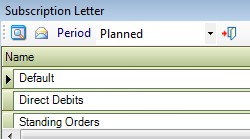
At the top of the window select the criteria required.
If you are working in the Current Year click on the drop down arrow by Planned and select Current.
Select the template required.
Click on the view icon 
You can now print the selected members sub notice.